10 Must-Have Data Cleaning Tools for AI: Enhance Model Performance
Published: 31 Mar 2026
Data is the foundation of any AI project, but the quality of that data matters just as much.
Data cleaning ensures that you’re working with accurate, consistent, and structured datasets, which is crucial for training reliable AI models.
In this blog post, we’ll cover the top 10 ai-powereddata cleaning tools (free and paid) to help you get your data ready for AI. It will also give you some tips on how to pick the best one for your needs.
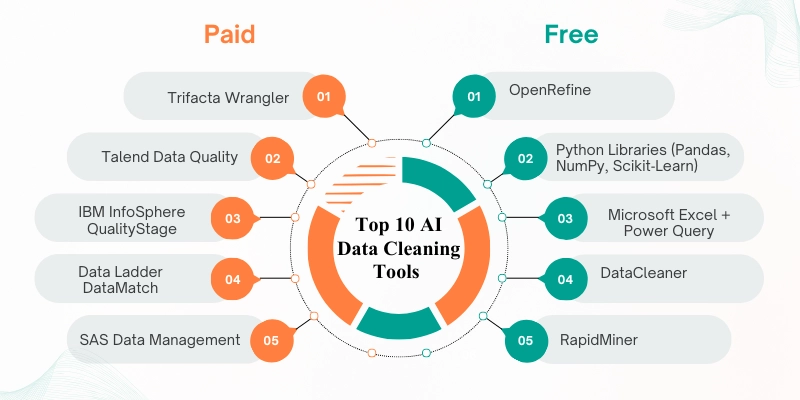
Quick Comparison Table: Best Data Cleaning Tools for AI in 2026
| Data Cleaning Tool | Best For | Free or Paid | Starting Price | Main Strength | Main Limitation |
|---|---|---|---|---|---|
| Trifacta Wrangler | Interactive data preparation for analytics and AI | Paid | Subscription-based | Strong visual data transformation | Better suited for business teams |
| Talend Data Quality | Enterprise data quality and governance | Paid | Subscription-based | Strong rule-based workflows and monitoring | More than small teams may need |
| IBM InfoSphere QualityStage | Large-scale data quality and matching | Paid | Enterprise licensing | Strong matching and standardization | Enterprise-oriented complexity |
| Data Ladder DataMatch | Deduplication and matching | Paid | Custom pricing | Strong record matching and cleansing | Narrower focus than full platforms |
| SAS Data Management | Large enterprise data cleaning and governance | Paid | Enterprise pricing | Strong performance and governance tools | Expensive for smaller teams |
| OpenRefine | Fast cleanup of messy datasets | Free | Free | Great for quick manual cleanup and clustering | Less automated than enterprise tools |
| Python Libraries | Custom scripting and automated preprocessing | Free | Free | Highly flexible for technical users | Requires coding skills |
| Microsoft Excel + Power Query | Accessible cleaning for small and mid-size data tasks | Paid via Excel | Microsoft 365 subscription | Easy for common business workflows | Limited for larger ML pipelines |
| DataCleaner | Open-source profiling and data quality work | Free | Free | Useful for profiling and standardization | Less modern than some alternatives |
| RapidMiner | Low-code data prep plus machine learning workflows | Free + Paid | Free tier / paid plans | Combines cleaning and ML in one platform | Free version has limits |
How We Chose These Data Cleaning Tools
There are many tools for cleaning data, but not all are equally useful for AI and machine learning work. Tools built for enterprise governance serve business stakeholders, while others are better suited for analysts, researchers, or technical teams.
We selected these tools for their practical usefulness rather than popularity.
1. Data Cleaning Features
A good cleaning tool for AI and machine learning should help with duplicates, missing values, outliers, formatting issues, profiling, and transformation.
2. Ease of Use
Some tools are visual and beginner-friendly. Others are more technical but give deeper control.
3. Automation
Automation becomes essential as dataset sizes increase. Features such as rule-based cleaning, intelligent suggestions, and reusable workflows can improve efficiency.
4. Scalability
Some users clean spreadsheets, while others handle enterprise-scale pipelines. We included tools for both.
5. Integration
For AI and machine learning tasks, tools should ideally fit into analytics, cloud, database, or machine learning workflows.
6. Budget Fit
We reviewed free, open-source, and paid solutions to ensure users with varied needs find suitable options.
Top Paid Data Cleaning Tools for AI
Paid data cleaning tools have a lot of features, can do a lot of work automatically, and have advanced support that makes them good for large-scale data cleaning jobs at the business level.
Here are the five paid choices of best ai tools for data cleaning:
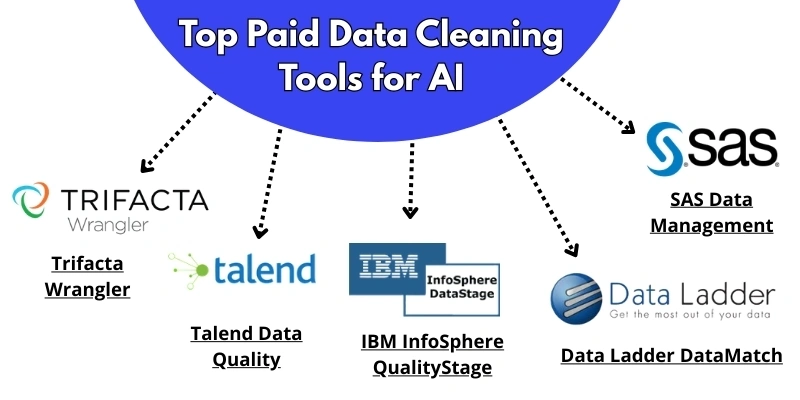
1. Trifacta Wrangler
Best for: Interactive data management for analytics and AI
Trifacta is an excellent data preparation tool, with an easy-to-use user interface and strong automated capabilities. It enables you to clean, convert, and arrange data for detailed analytics.
Key Features:
- Smart ideas for change
- Visualizing how statistics are used
- Easy connection to cloud storage providers like Snowflake and BigQuery
- Export options in multiple formats
Limitations:
It is more suitable for professional business use than for small personal projects or simple one-off tasks.
Pricing:
Subscription-based pricing depending on usage and deployment.
Why we recommend it:
According to my personal experience, Trifacta is a strong choice for teams that want guided, visual data transformation without relying only on manual scripting.
2. Talend Data Quality
Best for: Enterprise-grade cleaning & governance
Talend Data Quality offers many tools for cleaning, organizing, and controlling large datasets. It works great for companies that need strong tools for managing data while also prioritizing security and compliance.
Key Features:
- Workflows for data cleaning that follow rules
- Automatic duplicate detection
- Real-time quality tracking
- Metadata and data flow management.
Limitations:
It may feel too large or advanced for solo users and small teams with simpler needs.
Pricing:
Subscription-based pricing depending on modules and users.
Why we recommend it:
After using this platform, my personal opinion is that Talend is a strong fit for organizations that need data quality and governance as part of a larger business workflow.
3. IBM InfoSphere QualityStage
Best for: Large organizations require corporate-level data quality, cleaning, and matching across complicated systems.
IBM InfoSphere QualityStage is a tool for improving the quality and consistency of data, helping businesses maintain accurate and reliable views of key business entities such as locations, customers, suppliers, and products.
Key Features:
- High precision consistency
- Data matching and survival reasoning
- Affordable for large amounts of data Processing
- Strong connection with IBM’s analytics systems
Limitations:
It is primarily built for enterprise use, so smaller teams may find it too complex or too expensive.
Pricing:
Enterprise licensing.
Why we recommend it:
IBM InfoSphere QualityStage is a strong option for organizations that need high-precision matching and large-scale data quality control.
4. Data Ladder DataMatch
Best for: Advanced matching and deduplication
DataMatch is tailored for organizations that need high-quality data matching and deduplication. It’s particularly useful for customer data management.
Key Features:
- Instantly makes reports to find trends, outliers, and errors.
- Fixes writing problems, verifies addresses, and ensures everything is consistent.
- Gets rid of duplicate records to keep things unique
- Adding support for major CRM systems
Limitations:
It is more focused on matching and deduplication than on broad all-in-one data preparation workflows.
Pricing:
Custom pricing.
Why we recommend it:
If your biggest data problem is duplicate records or messy entity matching, DataMatch is a strong specialized option.
5. SAS Data Management
Best for: High-performance data quality and governance
SAS offers powerful tools for data management and data cleaning. It’s known for its performance in large enterprise environments, especially in sectors such as finance and healthcare.
Key Features:
- Quality control of information in real time.
- Adding SAS tracking tools to your website.
- Large-scale processing for large amounts of data.
- More advanced data control tools.
Limitations:
Its cost and scale make it less practical for smaller teams or light projects.
Pricing:
Enterprise pricing.
Why we recommend it:
SAS is a reliable choice for organizations that need strong enterprise data management along with serious performance and governance support.
Top Free Data Cleaning Tools for AI
Individuals, small teams, and businesses with limited resources can benefit greatly from free data cleaning tools. They provide a wide variety of skills at no cost, though they may require a bit more technical knowledge.
Here are the five top free options of ai tools for data cleaning and formatting:
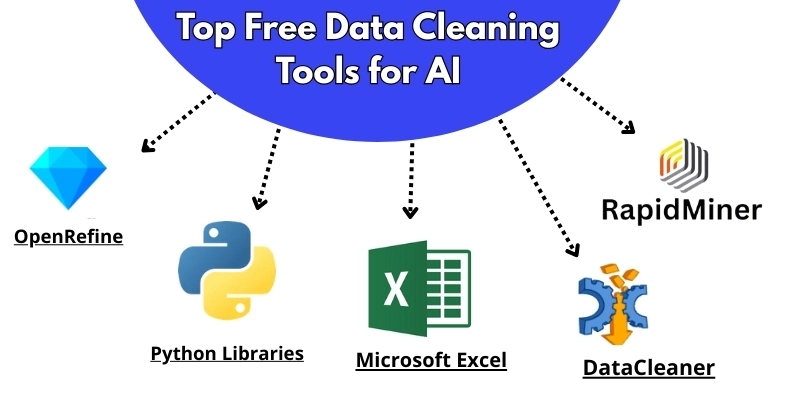
6. OpenRefine
Best for: Quick data exploration & cleanup
OpenRefine is commonly used by data researchers and professors to clean charts and graphs. It’s simple to use and provides detailed information about its features.
Key Features:
- Group similar items and remove repeated ones from the content.
- Personalized browsing to find problems
- Combine data that does not match.
- Save data in many different file types like CSV or JSON.
Limitations:
It is powerful for focused cleanup, but it is not a full enterprise platform with advanced governance workflows.
Pricing:
Free and open source.
Why we recommend it:
OpenRefine is one of the best free tools for users who want fast, hands-on cleanup of messy structured data.
7. Python Libraries (Pandas, NumPy, Scikit‑Learn)
Best for: Custom cleaning, preprocessing, and automation
Python libraries give technical users deep control over every step of data cleaning. Pandas is especially useful for handling missing data, duplicates, filtering, merging, and transformation. NumPy supports numerical work, while Scikit-Learn provides preprocessing tools that are useful in machine learning pipelines.
Key Features:
- You can use pandas to handle missing data, filtering, and consistency.
- NumPy lets you work with numerical arrays
- Scikit-Learn: routines for preprocessing
- Works well with tools for machine learning
Limitations:
These tools require coding knowledge and are less beginner-friendly than visual tools.
Pricing:
Free and open source.Why we recommend it:
For developers, data scientists, and advanced analysts, Python libraries are among the most flexible options available.
8. Microsoft Excel + Power Query
Best for: Individuals and organizations need accessible data analysis and reporting.
Microsoft Excel is a spreadsheet program that can be used to organize, analyze, display, and automate data. It’s a part of the Microsoft Office suite and is now part of the Microsoft 365 cloud services.
Key Features:
- Easy to use interface for filtering & transformations of data.
- Combine and add questions.
- Automatically update the data
- Easy to use for a smaller database
Limitations:
It is not ideal for large-scale machine learning pipelines or very large datasets.
Pricing:
Available through Microsoft 365 subscription.
Why we recommend it:
Excel + Power Query is a practical option for users who want accessible data cleaning in a familiar environment.
9. DataCleaner
Best for: Open-source, enterprise-level data quality
DataCleaner is an open-source data profiling and cleaning tool used for data organization, analysis, transformation, and automation in data quality management.
Key Features:
- Data profiling & analysis
- Cleaning, getting rid of duplicates, and standardizing data
- Can handle large datasets efficiently
- Numerous possibilities for using plugins.
Limitations:
Its interface and ecosystem may feel less modern than some newer tools.
Pricing:
Free and open source.
Why we recommend it:
DataCleaner is a solid free option for users who want profiling and cleaning support in an open-source environment.
10. RapidMiner
Best for: Organizations and researchers needing an enterprise-ready ML platform with minimal coding.
RapidMiner offers a complete data science platform that includes data cleaning, transformation, and model building. It’s particularly suited for those integrating data cleaning with machine learning.
Key Features:
- Data cleaning & preparation workflows
- Drag-and-drop interface for ease of use
- Built-in data mining algorithms
- Integration with popular machine learning libraries
Limitations:
The free version comes with limitations, and some advanced use cases require paid plans.
Pricing:
Free version available, with paid plans for broader use.
Why we recommend it:
RapidMiner is useful for teams that want to connect data preparation directly to model-building workflows.
Best Data Cleaning Tool by Use Case
The best tool depends on the type of data you have, your technical skill level, and the level of automation you need.
- 1. Best Data Cleaning Tool for Enterprises
Talend Data Quality and SAS Data Management are strong choices for large organizations that need governance and scalable workflows.
- 2. Best Data Cleaning Tool for Deduplication
Data Ladder DataMatch is a useful choice for the main problems of duplicate records and entity matching.
- 3. Best Free Data Cleaning Tool for Beginners
OpenRefine is one of the best free choices for users who want to clean unorganized data without advanced coding.
- 4. Best Data Cleaning Tool for Developers
Python Libraries such as Pandas and NumPy are the strongest option for users who want full scripting control and automation.
- 5. Best Data Cleaning Tool for Business Users
Microsoft Excel and Power Query work well for accessible and familiar data-cleaning workflows.
- 6. Best Tool for Low-Code AI Prep
RapidMiner is a good fit for users who want visual workflows and machine learning support in one place.
How to Choose the Right Data Cleaning Tool
Choosing the right tool becomes easier when you focus on your actual workflow rather than just brand names. To make an informed decision, follow these essential steps:
1. Check Your Data Size
Small spreadsheets and research files may only need a simple tool. Large business datasets often need more powerful automation and control.
2. Understand Your Data Problems
Are you dealing with repeated entries, missing information, different formats, unusual data, or mixed-up categories? Identifying your main challenge will help you choose the tool that solves your key problem well.
3. Consider Your Skill Level
Visual tools are easier for beginners and business users, while code-based tools are better suited to developers and technical teams. Consider which type best fits your skill set before choosing.
4. Look at Integration Needs
When your data passes through online services, databases, or machine learning systems, choose a tool that supports your setup to ensure smooth integration.
5. Think About Reusability
If you clean data often, select a tool with reusable workflows and automation features to save you time in the long run.
6. Match the Tool to Your Budget
Start with free tools for new projects. Choose paid platforms when data quality influences business decisions or powers large AI systems.
Tips for Effective Data Cleaning
Here are some tips that will help you clean your data more easily, no matter what AI data cleaning tool you use:
- Get to know your data first. Examine its structure and identify any potential problems before you start cleaning.
- Automate tasks when you can. Let tools handle repetitive work with their built-in suggestions.
- Keep your original data safe by creating a backup before you start making changes.
- Start by making sure dates, text, and categories all follow the same format.
- Be careful with missing values. Decide whether to fill them in or remove them, depending on what your project needs.
- Write down each step you take so you or others can repeat the process later.
Final Thoughts
When you work on AI projects, you must consider the quality of your data as important as the quality of your algorithms.
Paid data cleaning tools for AI optimization such as Trifacta and Talend, offer advanced automation, growth potential, and integration, while free tools like OpenRefine and Python libraries provide strong capabilities for those working on a low budget.
If you pick the right tool and follow best practices of data cleaning, you can clean your data quickly and ensure that your AI models are built on solid ground.
If you want to learn more about latest technology, visit now the Basic of Technology category.
Questions About Data Cleaning Tools Using AI
Here are some frequently asked questions about tools for cleaning and analyzing data, along with direct answers to help you choose the best options and improve how you handle data.
Data cleaning tools for AI help fix errors, remove duplicates, handle missing values, and prepare datasets for machine learning and analytics.
These tools keep your data accurate, consistent, and properly structured, which is crucial before you feed it into AI models. They standardize formats, detect anomalies, and prepare datasets for analysis or training.
Data cleaning is important because poor-quality data can reduce AI model accuracy and create bias.
Unclean data introduces noise, missing values, and inconsistencies, weakening predictions and leading to unreliable AI outputs. Clean data enables models to learn accurate patterns and perform consistently.
OpenRefine is one of the best free tools for data cleaning.
It handles structured datasets well, helping you remove duplicates, cluster similar entries, and fix formatting issues. OpenRefine offers a user-friendly experience for non-developers and ample power for large datasets.
Python libraries like Pandas, NumPy, and Scikit-Learn are the best choices for developers.
These libraries enable developers to create custom data-cleaning and preprocessing workflows. They are highly flexible, support automation, and integrate seamlessly with machine learning pipelines.
Enterprise-grade options include Talend Data Quality, SAS Data Management, and IBM InfoSphere QualityStage.
These tools run large-scale workflows, enforce data governance, and maintain high data quality across complex enterprise systems.
Yes, Microsoft Excel with Power Query can be used for data cleaning.
It enables you to filter, transform, format, and handle small to medium datasets. Excel suits business users who want a visual interface without coding.
Yes, cleaner data improves AI model training and performance.
By reducing errors, missing values, and inconsistencies, these tools help AI models learn patterns accurately and generate reliable predictions.
Choose based on your data size, cleaning needs, budget, and technical skill.
Decide whether you need manual cleanup, automation, or enterprise-level governance. Excel or OpenRefine works for small datasets, while Python libraries or enterprise solutions are better suited to large-scale AI projects.



- Be Respectful
- Stay Relevant
- Stay Positive
- True Feedback
- Encourage Discussion
- Avoid Spamming
- No Fake News
- Don't Copy-Paste
- No Personal Attacks
- Be Respectful
- Stay Relevant
- Stay Positive
- True Feedback
- Encourage Discussion
- Avoid Spamming
- No Fake News
- Don't Copy-Paste
- No Personal Attacks
